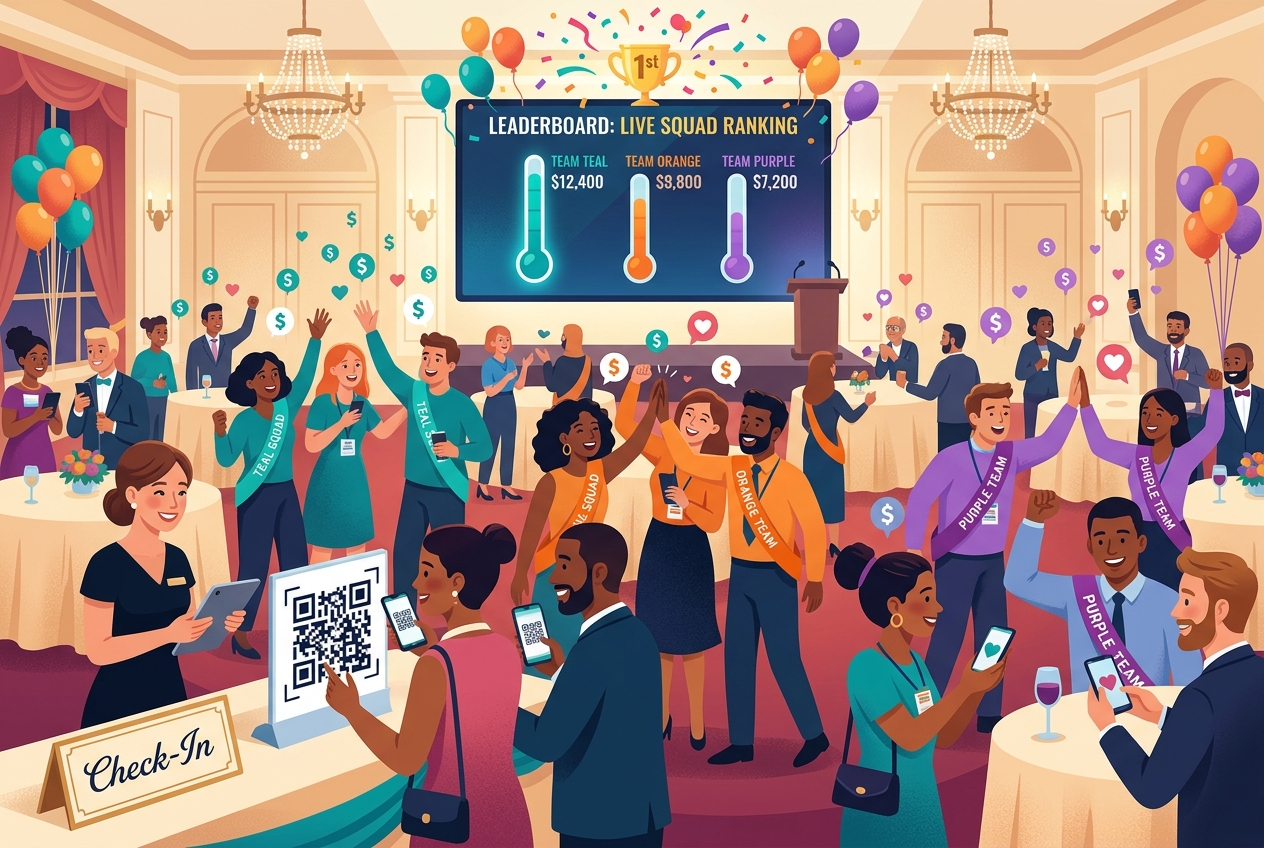
Halfway through Hope Harbor Animal Rescue's spring gala, something happened that no silent auction ever produced: the whole room was on its feet, phones in the air, cheering for a number on a screen. Team Teal had just edged ahead of Team Orange, $12,400 to $9,800, and a hundred guests were suddenly, joyfully invested in winning. They weren't just donors anymore. They were a team.
That energy didn't happen by accident. Here's exactly how a live fundraising competition works — and how to run one at your next event.
Check-in that quietly builds teams
Guests arrived and checked in with a quick QR scan at the door. But as they did, the organizers were doing something behind the scenes: seeding fundraising squads directly from the ticket list. With one click, every attendee was evenly distributed across teams — Team Teal, Team Orange, Team Purple — each with a color, a name, and a goal. No clipboards, no awkward "find your group." People sat down already on a team.
You can let guests join a squad themselves, too — a QR code at each table (or each room) drops them straight onto that team, so latecomers and walk-ups are competing in seconds.
The leaderboard does the talking
At the front of the room, a big screen showed a live squad leaderboard: each team's name, a rising thermometer bar, and a running dollar total, updating the instant a gift came in. A golden "1st" badge sat at the top, and it kept changing hands.
This is the quiet genius of a competition: you don't have to ask people to give — the scoreboard does. Nobody wants their team in last place. Every donation moved a bar everyone could see, and every move drew a cheer.
One-tap giving keeps the room moving
The competition only works if giving is frictionless, so it is:
- Save a card once. A guest's first gift saves their card; every gift after that is a single tap.
- Every gift counts for a squad. Donations are automatically credited to the giver's team and reflected on the leaderboard immediately.
- Suggested amounts. A simple ladder ($25 / $50 / $100 / $250) makes the decision quick.
- Cover-the-fee option. Supporters can cover processing so 100% reaches the cause.
A gift took about four seconds — so people gave again, and again, each time their team needed a push.
Per-room and per-table squads (optional, and powerful)
For bigger events, each squad can get its own screen and its own join QR — perfect when teams are spread across tables or even separate rooms. Each screen shows that team's total, its rank, and a "scan to join" and "scan to give to this team" code, so the rivalry feels personal wherever you're standing.
The fund-a-need finale
Near the end, the host launched a fund-a-need paddle raise with a matching gift from a sponsor. The match doubled every donation up to the cap, the leaderboard surged, and the room erupted as the combined total crossed the goal line — confetti and all.
Why competition raises more
Traditional galas ask each guest to give once. A live competition gives people a reason to give repeatedly — for their team, in the moment, with everyone watching the result. It turns generosity into a shared, joyful experience, and it consistently lifts both participation and totals.
Here's what made Hope Harbor's night work, and what you can replicate:
- Check guests in and seed squads from your ticket buyers in one click.
- Put a live leaderboard on the big screen and let it drive the room.
- Make giving one tap, credited to each team instantly.
- Add a fund-a-need + matching gift for a finale that crosses the goal.
Run your own fundraising competition
It's free for organizers — every processing fee is covered by the donor at checkout, so your cause keeps the proceeds. Create your event, turn on live mode, and your next gala can feel like a game everyone wants to win.
Start free — create your event →
Curious about the details? Explore event fundraising on Fund My Squad.