Planning a holiday gala silent auction? Here's how to run bidding, checkout, and payouts from one event page — no paper bid sheets, no lost checks, no 11pm reconciliation.
If your organization is finalizing a venue right now for a December donor night, you already know the silent auction is doing a lot of the heavy lifting. It's often the single biggest line item on the night's revenue — bigger than ticket sales, bigger than the ask from the podium. Which makes it strange how many nonprofits still run it on a clipboard.
This guide walks through how to set up and run a silent auction at your nonprofit fundraising event without the bid-sheet chaos, plus the October-to-December timeline for getting it done before Giving Tuesday and fiscal year-end.
Why Your Holiday Gala Is the Highest-Intent Auction Night You'll Get All Year
Every nonprofit has a moment when the room is already full of people who chose to show up, dressed up, and opened their wallets before they even sat down for dinner. That's your holiday gala or donor appreciation night. You already paid for the venue, the catering, and the decor — the auction is the mechanism that turns a paid-for room into mission funding.
According to Network for Good's giving research, roughly 30% of annual charitable giving happens in December, with about 10% landing in the final three days of the year. Your gala is very likely sitting inside that window. The question isn't whether the room will give — it's whether your auction setup makes it easy for them to.
The Paper Bid Sheet Problem (And What It's Actually Costing You)
A clipboard-and-pen auction feels familiar, which is exactly the problem. Walk through what it actually requires on the night:
- A volunteer stationed at every table to answer "who's winning this?"
- A second volunteer doing math by hand at checkout while 150 people queue for coats
- A separate system (or a literal shoebox) for cash and checks
- Someone retyping winner names and amounts into a spreadsheet the next morning, hoping the handwriting is legible
Every one of those steps is a place bids get lost, totals get fudged, or a generous bidder gets tired of waiting in line and leaves before paying. None of that is a people problem — it's a tooling problem.
How to Run a Silent Auction From One Event Page
The fix isn't a fancier spreadsheet. It's collapsing tickets, door donations, and the auction itself into the same event page your guests already used to RSVP.
On FundMySquad, that looks like:
- One event page sells the ticket. Guests register and pay from their phone before the night even starts — no separate Eventbrite link to manage.
- The same page takes a donation at check-in or from the podium. No jar, no awkward cash handoff.
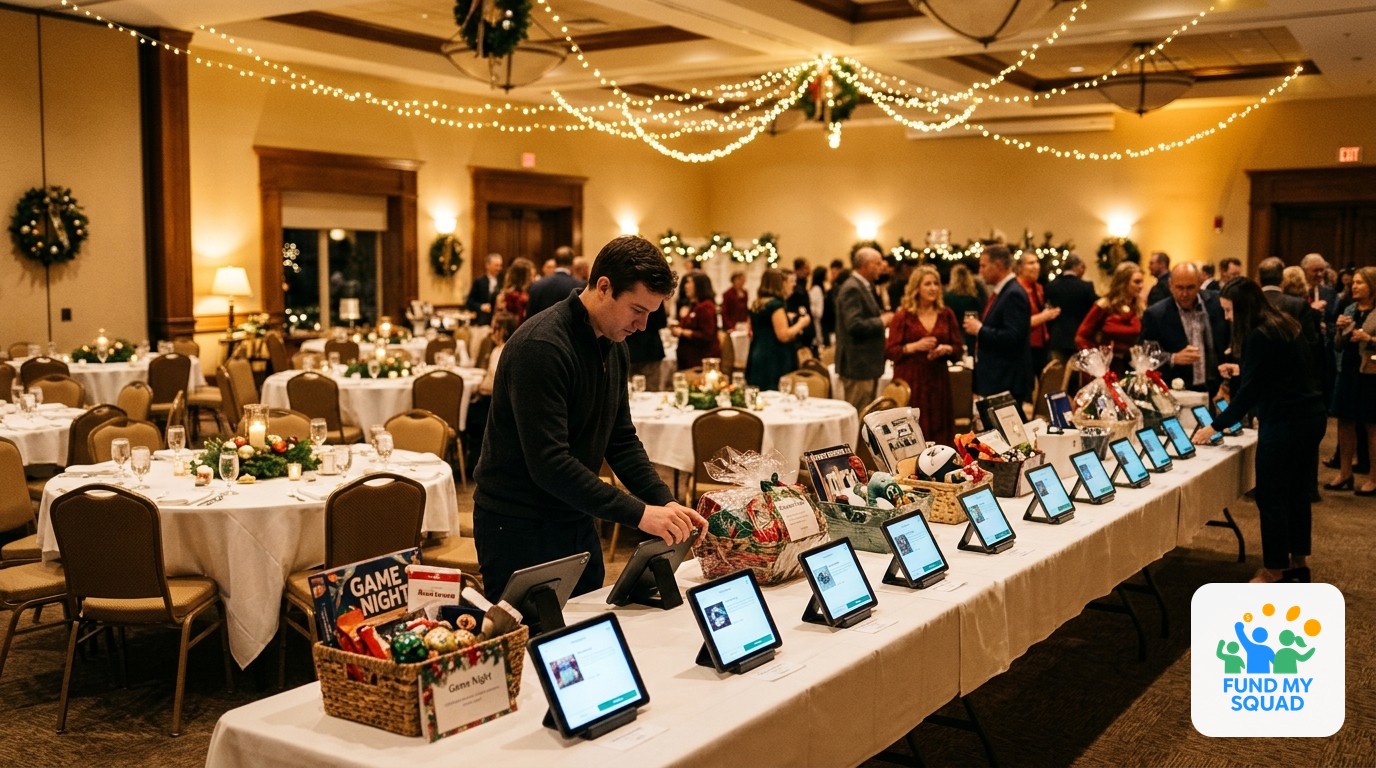
- Auction items live on that page too, so bidders use the same phone they checked in with to raise a paddle, place a bid, and pay the winning amount on the spot.
- One dashboard for your team shows tickets sold, dollars donated, and auction totals in real time — so your treasurer isn't reconciling three tools on December 1st.
And because FundMySquad charges 0% platform fees on auctions and donations, and just a $1 per-ticket fee paid by the buyer, your board keeps the number the auctioneer announces from the stage — not a discounted version of it after processing fees.
Your October-to-December Auction Timeline
If your date is already booked, here's roughly where you should be:
- Now (late October): Finalize your auction item list and open your event or fundraiser page so tickets and sponsorships can start selling immediately.
- Early-to-mid November: Load auction items with photos and starting bids; share the page so bidders can preview items before the night.
- Thanksgiving week: Send a reminder to ticket holders and recent donors — this is also your natural lead-in to Giving Tuesday messaging.
- Night of the event: Run check-in, donations, and bidding from the same page; close the auction and announce winners live.
- Within 48 hours: Send thank-you messages and tax receipts while the night is still fresh.
For more on what should happen before the gala itself, see our guide on donor appreciation night ideas that lead to Giving Tuesday gifts.
Auction Management Method Comparison
| Method | Setup Time | Real-Time Bid Updates | Payment Collection | Platform Fees | Day-After Reconciliation |
|---|---|---|---|---|---|
| Paper bid sheets | Low | No | Manual (cash/check) | None, but labor-heavy | Hours of manual entry |
| Standalone auction app | Medium | Yes | Built-in | Often 5-8% of auction revenue | Minimal |
| Eventbrite + separate donation tool + clipboard auction | High (3 tools) | No | Split across tools | 3.7% + $1.79/ticket, plus donation tool fees | High — data lives in 3 places |
| FundMySquad (tickets + donations + auction, one page) | Low | Yes | Built-in | $1/ticket (buyer-paid); 0% on auction/donations | Minimal — one dashboard |
FAQ
Q: Can I run a live auction and a silent auction on the same event page?
Yes. You can list items for silent bidding throughout the night and still run a live auction or paddle raise from the stage — both roll into the same event totals and the same donor receipts.
Q: Do bidders need to download an app to place bids?
No. Guests bid from a mobile browser using the link or QR code on their ticket — no app download required.
Q: How do winning bidders pay?
Payment is collected at the moment they win, through the same checkout they used to buy their ticket or make a donation, with standard card processing applied.
Q: Is there a fee for listing auction items?
No. FundMySquad charges 0% platform fees on auctions, donations, merch, and raffles. The only platform fee anywhere on the page is the $1 per-ticket fee, and the ticket buyer pays that, not your organization.
Q: What if some of our guests want to bid but didn't buy a ticket?
You can open the auction page to non-ticketed guests or share it separately so people who couldn't attend can still bid and give.
Put Your Auction on One Page Before the Countdown Starts
Your venue is booked. Your items are coming in. The only decision left is whether your auction runs on one page your team can see in real time, or three tools nobody fully trusts by checkout. Create your year-end event page free and have tickets, donations, and the auction live before your invitations go out.