You're organizing a tournament this month. You've handled the brackets, the refs, the field permits, the logistics. But while you're managing the event, you're missing a massive revenue opportunity sitting right in front of you.
Every tournament is already a fundraising event — you just need to treat it like one.
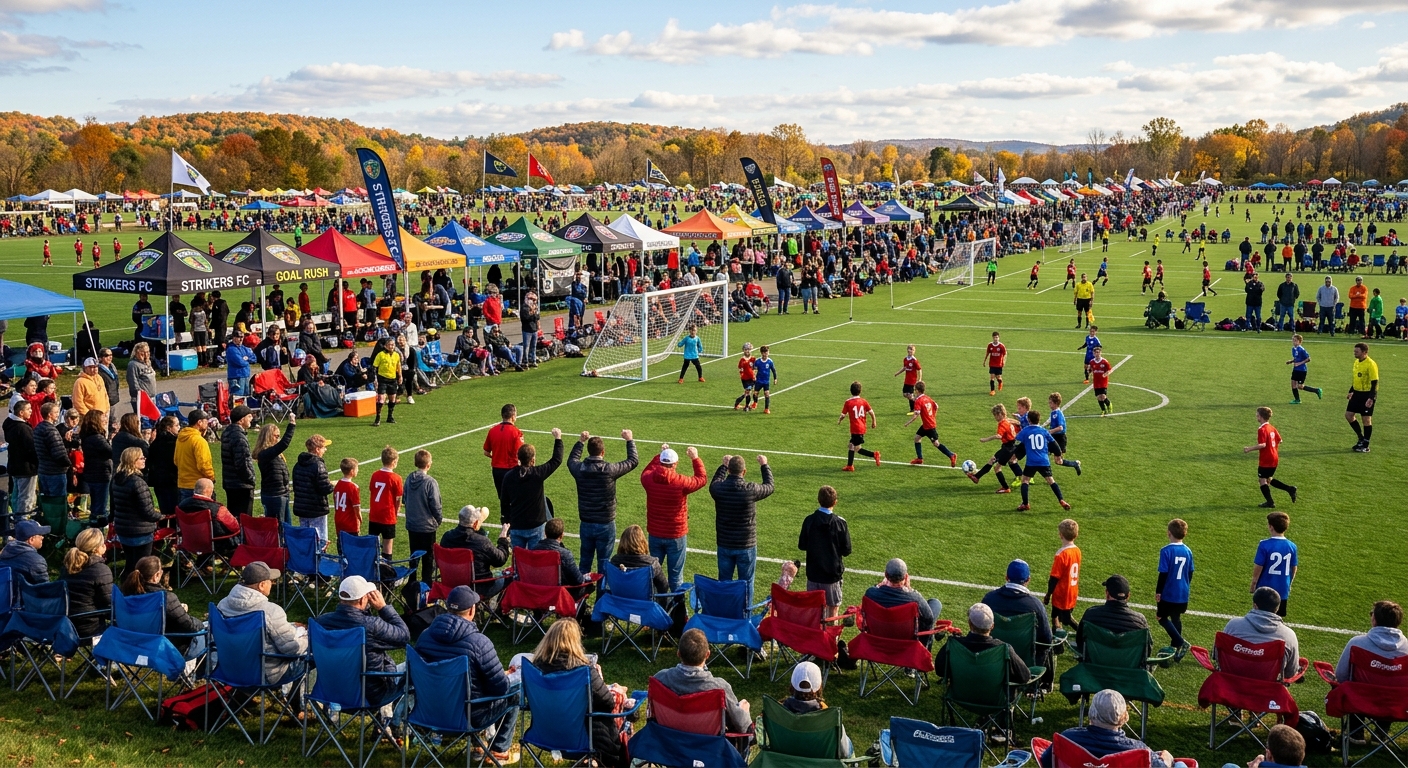
According to the Sports & Fitness Industry Association, 21.5 million kids participate in team sports in the U.S., and most play in at least 2-3 tournaments per season. That's millions of spectators, families, and community supporters gathering at fields and gyms every weekend. They're already there. They're already engaged. And many would happily contribute if you made it easy.
This guide shows you exactly how to turn your next fall tournament into a revenue-generating fundraiser — without adding extra work to your plate.
Why September Tournaments Are Your Best Fundraising Window
Fall sports season kicks off in September, and tournaments become the heartbeat of the schedule. Football invitationals, soccer showcases, volleyball tournaments, cross country meets, tennis challenges, golf classics — these aren't just competitions. They're community gatherings.
And community gatherings are fundraising gold.
Here's what most tournament organizers miss: you're already doing the hard work. You've booked the venue, recruited the teams, marketed the event, and brought hundreds of people together. The infrastructure for a successful fundraiser is already in place. You just need to monetize it.
Traditional tournament revenue comes from entry fees. But what if you could also:
- Sell spectator tickets and keep 100% of the revenue (no platform fees)
- Collect donations from families who want to support the team
- Sell team merchandise and spirit wear directly through your event page
- Manage check-in digitally with QR codes and real-time dashboards
- Thank attendees and donors automatically after the event
That's the difference between running a tournament and running a fundraising tournament.
The Tournament Monetization Framework: Events → Participation → Revenue
Successful tournament fundraising follows a simple three-step model:
- Event creation: Set up your tournament with ticketing, donation options, and merchandise in one place
- Community participation: Families buy tickets, donate, and share the event with their networks
- Revenue outcome: You raise thousands while managing everything from a single dashboard
Let's break down each step.
Step 1: Set Up Your Tournament as a Fundraising Event
Most organizers use Eventbrite for ticketing and GoFundMe for donations. That means two platforms, two fee structures, two dashboards, and a fragmented experience for your community.
Here's the problem with that approach:
| Platform | Ticket Fees | Donation Fees | Check-In Tools | Fundraising Features |
|---|---|---|---|---|
| Eventbrite | 3.7% + $1.79/ticket | Not available | Basic QR codes | None |
| GoFundMe | Not available | Tips from donors (2.9% default) | None | Basic campaign page |
| FundMySquad | 0% platform fees | 0% platform fees | Real-time dashboard, Apple/Google Wallet | Tickets, donations, products, all-in-one |
With FundMySquad, you create one event page that handles everything:
- Spectator tickets: Sell general admission, reserved seating, or VIP passes
- Donation options: Add a fundraising component with preset amounts or custom donations
- Team merchandise: Sell shirts, hats, hoodies, and spirit wear through the same page
- Digital check-in: Every ticket gets a unique QR code and Apple/Google Wallet pass
- Automated thank-yous: Send post-event messages to all attendees and donors
You set it up once. Your community does the rest.
Step 2: Drive Participation Through Your Existing Network
You don't need a massive marketing budget to fill your tournament. You already have the most powerful marketing channel: your community.
Here's how to activate it:
1. Team registration emails: When teams register, include a link to buy spectator tickets and donate. Frame it as "Support the tournament" or "Help us cover field costs."
2. Social media countdown posts: In the week leading up to the event, post daily updates: "3 days until kickoff! Get your tickets and support the team → [link]"
3. Parent/family text groups: Coaches and team parents can share the event link in group chats. Make it easy to forward.
4. On-site promotion: Put QR codes on posters, banners, and scoreboards. "Donate to support the team" with a scannable code drives spontaneous giving.
5. Halftime/between-game announcements: Announce the fundraising goal over the PA system. "We're at $1,200 of our $3,000 goal — scan the QR code to help us get there!"
The key is to make participation friction-free. People want to support the team. Your job is to remove every obstacle between their intention and their action.
Step 3: Track Revenue in Real-Time and Thank Your Community
One of the biggest advantages of digital tournament management is real-time visibility. You don't have to wait until after the event to see how you're doing.
With FundMySquad's dashboard, you can:
- See total ticket sales, donations, and product orders as they happen
- Track which families have checked in (via QR code scans)
- Monitor your fundraising progress toward your goal
- Export donor and attendee lists for thank-you messages
- Send automated post-event emails to everyone who participated
This matters because fundraising isn't just about the money — it's about building long-term relationships. When you thank donors quickly and personally, they're more likely to give again.
Send a post-event message within 24 hours:
"Thank you for supporting our tournament this weekend! Because of you, we raised $2,800 to fund our fall season. Every dollar helps our team compete, travel, and grow. We couldn't do this without our community. See you at the next game!"
That kind of follow-up turns one-time donors into recurring supporters.
Real-World Tournament Fundraising Scenarios
Let's look at three hypothetical examples of how tournament organizers could use FundMySquad to raise thousands:
Scenario 1: High School Volleyball Invitational
- 16 teams, 2-day tournament
- $10 spectator tickets ($5 for students)
- 200 tickets sold = $1,800
- 40 families donate an average of $25 = $1,000
- 25 spirit wear items sold at $20 profit each = $500
- Total raised: $3,300
- Platform fees paid: $0
Scenario 2: Youth Soccer Showcase
- 24 teams, weekend tournament
- Free admission, donation-focused fundraiser
- 150 families donate an average of $30 = $4,500
- 50 team hoodies sold at $15 profit each = $750
- Total raised: $5,250
- Platform fees paid: $0
Scenario 3: Cross Country Invitational
- 20 schools, 1-day meet
- $8 spectator tickets
- 300 tickets sold = $2,400
- 60 families donate an average of $20 = $1,200
- 15 team hats sold at $10 profit each = $150
- Total raised: $3,750
- Platform fees paid: $0
Notice the pattern: every tournament scenario combines tickets, donations, and products. That's the power of all-in-one fundraising.
FAQ
Q: How much do tournament organizers typically raise with FundMySquad?
Fundraising outcomes depend on event size, ticket pricing, and community engagement. Hypothetically, a mid-sized tournament with 200 attendees could raise $2,000-$5,000 by combining ticket sales, donations, and merchandise. Larger invitationals with 500+ spectators could raise $5,000-$10,000 or more.
Q: What's the difference between FundMySquad and Eventbrite for tournament ticketing?
Eventbrite charges 3.7% + $1.79 per ticket. For a $10 ticket, you lose $2.16 to fees (21.6% of your revenue). FundMySquad charges 0% platform fees — you keep 100% of ticket sales. Plus, FundMySquad includes donation tracking, product sales, and real-time check-in dashboards that Eventbrite doesn't offer.
Q: Can I use FundMySquad for both free and paid tournaments?
Yes. You can create a tournament page with free admission and focus entirely on donations and merchandise sales. Or you can sell tickets and add donation/product options. The platform is flexible — you decide what makes sense for your event.
Q: How do QR code tickets work for large tournaments?
Every ticket purchaser gets a unique QR code via email and can add it to their Apple or Google Wallet. At check-in, you scan the QR code with the FundMySquad mobile app (iOS/Android) and the dashboard updates in real-time. No paper tickets, no manual lists, no confusion.
Q: What if I need help setting up my first tournament fundraiser?
FundMySquad's setup takes about 5 minutes: create your event, set ticket prices, add donation options, upload team photos and logos, and publish. If you need help, the support team is available via email and chat. Most organizers are fully set up within 10 minutes.
Tournament Season Checklist: Launch Your Fundraiser This Week
Here's your action plan to turn your next tournament into a fundraiser:
Week Before Tournament:
- Create your tournament event page on FundMySquad (start here)
- Set spectator ticket prices (if applicable) and donation goals
- Upload team photos, logos, and tournament details
- Add merchandise options (team shirts, hats, spirit wear)
- Share the event link with team parents, players, and social followers
- Post daily countdown updates on social media with the event link
Day of Tournament:
- Print QR code posters for on-site donations ("Support the team — scan here")
- Make PA announcements about the fundraising goal
- Use the FundMySquad app to scan tickets at check-in
- Monitor real-time donation progress on your dashboard
After Tournament:
- Send thank-you emails to all ticket buyers and donors within 24 hours
- Share final fundraising total on social media ("We raised $X thanks to YOU!")
- Export donor list for future outreach
- Plan your next tournament fundraiser
The Bottom Line: Your Tournament Is Already a Fundraiser
You're hosting the event. You're bringing the community together. You're doing the hard work.
Now it's time to turn that effort into revenue.
FundMySquad makes it simple: one platform, zero fees, complete control. Sell tickets, collect donations, manage check-in, and thank your supporters — all in one place.
Your next tournament could raise $3,000. Or $5,000. Or more. The only question is: are you ready to make it happen?
Create your tournament fundraiser now → Free to use. 0% platform fees. Set up in 5 minutes.