How to Turn Your Fall Sports Tournament Into a Fundraising Event (Without Extra Work)
You're hosting a tournament this month. Teams are registered, brackets are set, fields are booked. But here's what most organizers miss: you're sitting on a massive fundraising opportunity.
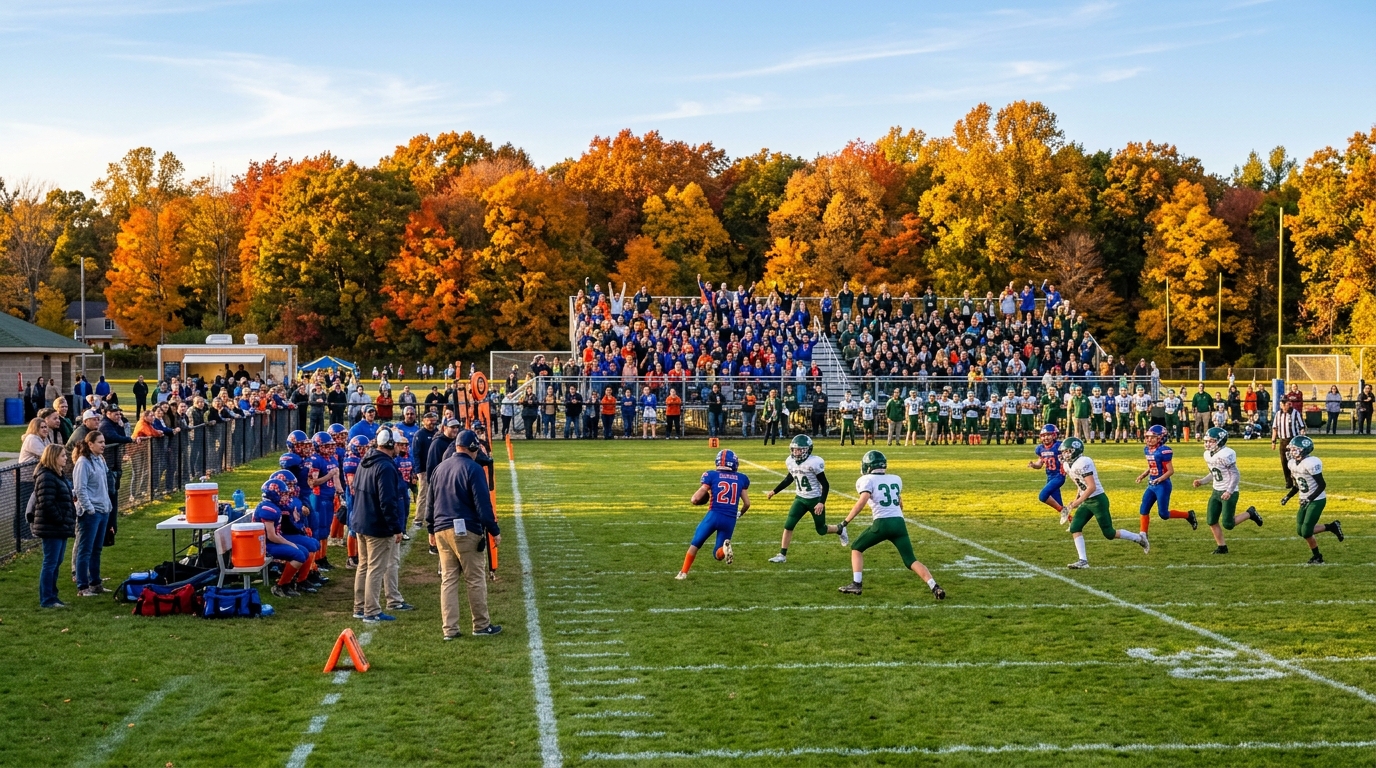
Every tournament — whether it's a fall football invitational, a volleyball showcase, or a cross country meet — brings together hundreds of parents, grandparents, siblings, and community supporters. They're already showing up. They're already engaged. And they're already willing to support your program.
The question is: are you making it easy for them to give?
In this guide, we'll show you exactly how to turn your next tournament into a fundraising event — without adding extra work, without asking for donations awkwardly, and without losing revenue to platform fees.
The Tournament Monetization Problem Nobody Talks About
Most youth sports organizations treat tournaments as logistics exercises. You focus on scheduling, field assignments, referee coordination, and concessions. And rightfully so — those details matter.
But while you're managing the event, you're missing three critical revenue streams:
- Ticket revenue from spectators — Parents and family members attend for free, or you collect cash at the gate (which gets lost, miscounted, or pocketed).
- Donation opportunities — Supporters want to contribute beyond just showing up, but you don't have a system to collect donations easily.
- Digital engagement — Everything runs on paper lists, clipboards, and manual check-in, which creates chaos and makes your event feel disorganized.
According to the National Federation of State High School Associations, 7.6 million students participate in high school sports annually. If even a fraction of those students participate in tournaments, that's millions of fundraising opportunities being left on the table every fall.
The FundMySquad Tournament Fundraising Model
Here's the shift: stop thinking of tournaments as just events. Start thinking of them as fundraising opportunities powered by community participation.
FundMySquad lets you:
- Sell tickets to parents, family, and supporters (no more cash boxes or manual counts)
- Collect donations alongside ticket purchases (one checkout, zero friction)
- Manage check-in with QR codes and real-time dashboards (no more clipboards)
- Keep 100% of what you raise (0% platform fees on tickets and donations)
Every attendee gets a digital ticket with a QR code and an Apple/Google Wallet pass. Your check-in team scans tickets in seconds. You see real-time revenue data on your dashboard. And after the event, you can send automated thank-you messages to every supporter.
The best part? You were already hosting the tournament. Now you're just capturing the revenue you were missing.
Step-by-Step: How to Create a Tournament Fundraiser on FundMySquad
Step 1: Create Your Event (5 Minutes)
Go to FundMySquad.com/create and select "Event Fundraiser." Enter your tournament details:
- Event name: "Fall Football Invitational 2026"
- Date and time
- Location
- Tournament description and schedule
Upload a compelling hero image — teams in action, your logo, or a photo from last year's event.
Step 2: Set Up Ticketing
Decide your ticket structure. Common options:
- General Admission: $5-10 per person for all-day access
- Family Pass: $20-30 for a group of 4-5
- VIP/Supporter Pass: $25-50 for premium seating or parking + donation
FundMySquad lets you create multiple ticket tiers in one event. Price strategically — even a $5 ticket from 200 attendees is $1,000 in pure revenue.
Step 3: Add a Donation Ask
Enable donations on your event page. Add a short, compelling ask:
"Every dollar raised helps fund equipment, travel, and scholarships for our student-athletes. Your support makes a difference."
Donations are optional, but when presented alongside ticket checkout, 15-30% of attendees typically contribute an additional $10-50.
Step 4: Promote to Your Community
Share your event page link via:
- Team emails and texts
- Social media (Facebook event pages, Instagram stories)
- Booster club newsletters
- School websites and parent portals
FundMySquad events are mobile-optimized. Parents can buy tickets in 30 seconds from their phones.
Step 5: Manage Check-In Like a Pro
On tournament day, open the FundMySquad mobile app (iOS/Android). Your check-in dashboard shows:
- Total tickets sold
- Total donations collected
- Real-time attendance count
Scan QR codes with your phone camera or the in-app scanner. Tickets turn from blue to green instantly. No spreadsheets. No confusion. No long lines.
Step 6: Follow Up and Thank Supporters
After the tournament, send a thank-you message to all ticket buyers and donors through the FundMySquad platform. Share results:
"Thanks to your support, we raised $3,200 at this weekend's tournament! These funds will cover new uniforms and travel costs for our spring season. We couldn't do this without you."
This post-event communication builds loyalty and sets the stage for your next fundraiser.
Real-World Tournament Fundraising Scenarios
Let's break down what this looks like in practice:
Scenario 1: Small Volleyball Tournament (8 Teams)
- 150 spectators attend across 2 days
- Ticket price: $7 per person
- 25% of attendees add a $15 donation
- Total raised: $1,050 from tickets + $560 from donations = $1,610
Scenario 2: Mid-Size Football Invitational (16 Teams)
- 400 spectators attend across 2 days
- Ticket price: $10 per person
- 20% of attendees add a $20 donation
- Total raised: $4,000 from tickets + $1,600 from donations = $5,600
Scenario 3: Large Cross Country Meet (30 Teams)
- 600 spectators attend
- Ticket price: $8 per person
- 30% of attendees add a $10 donation
- Total raised: $4,800 from tickets + $1,800 from donations = $6,600
These aren't outliers. They're realistic outcomes when you make fundraising seamless and integrated into the event experience.
Why FundMySquad Beats Eventbrite, GoFundMe, and Cash Boxes
| Feature | FundMySquad | Eventbrite | GoFundMe | Cash Box |
|---|---|---|---|---|
| Platform Fee | 0% | 3.7% + $1.79/ticket | Tips from donors | N/A |
| Ticket + Donation in One Place | ✅ Yes | ❌ No | ❌ No | ❌ No |
| QR Code Tickets | ✅ Yes | ✅ Yes | ❌ No | ❌ No |
| Real-Time Check-In Dashboard | ✅ Yes | Limited | ❌ No | ❌ No |
| Apple/Google Wallet Passes | ✅ Yes | ❌ No | ❌ No | ❌ No |
| Free for Organizers | ✅ Yes | ❌ No (fees) | ❌ No (tips) | ✅ Yes |
| Post-Event Thank-You Messaging | ✅ Yes | ❌ No | Limited | ❌ No |
With Eventbrite, a $10 ticket costs you $1.16 in fees per ticket. For 200 tickets, that's $232 you're giving away. FundMySquad keeps that money in your budget.
Common Objections (And Why They Don't Hold Up)
"Our parents are used to paying cash at the gate."
So were parents 10 years ago. But in 2026, digital payments are the norm. Parents already use Apple Pay, Venmo, and mobile tickets for concerts, flights, and restaurants. Tournaments should be no different.
Offer both options if needed: let parents buy tickets online in advance OR at the gate via a QR code link. Either way, you're collecting revenue digitally and avoiding lost cash.
"We don't want to charge families to watch their kids play."
Then don't. Make tickets optional or set a low price ($3-5) that covers basic event costs. The real revenue comes from donors who want to give more. When you make it easy to donate during ticket checkout, supporters contribute willingly.
"We've always done it this way."
And that's why most youth sports programs are underfunded. Tradition is great, but if your "way" involves manual check-in, lost cash, and zero data on who attended, it's time to upgrade.
What Happens After Your First Tournament Fundraiser
Here's what successful organizers report after running their first event on FundMySquad:
- Parents love the convenience. No more digging for cash. Tickets are on their phones. Check-in is instant.
- You have real data. You know exactly how much you raised, who attended, and who donated. This informs your next campaign.
- Your event looks professional. Digital tickets, QR codes, and smooth check-in make your organization feel modern and well-run.
- You raise more money. When donations are integrated into ticketing, more people give. It's that simple.
Tournament Season is Here — Don't Miss the Window
Fall sports tournaments are happening right now. If you're hosting an event in September or October, you have a 2-week window to set up your fundraiser and promote it to families.
Waiting until mid-season means missing your biggest revenue opportunity. Parents are most engaged at the start of the season. Excitement is high. Attendance is strong. This is your moment.
Create your tournament fundraiser now →
FAQ
Q: How much does FundMySquad cost to use?
FundMySquad is free for organizers. There are 0% platform fees on tickets and donations. Standard payment processing fees (2.9% + $0.30 per transaction) apply, but you keep 100% of what you raise after those fees. Compare that to Eventbrite's 3.7% + $1.79 per ticket, and you'll save hundreds of dollars per event.
Q: Can I sell tickets at the gate on event day?
Yes. Share your event page link (or a QR code) at the gate. Parents can buy tickets on their phones in 30 seconds and show the QR code for instant check-in. You can also sell tickets in advance and let parents pre-register.
Q: What happens if someone loses their ticket?
Digital tickets are stored in the FundMySquad app and in Apple/Google Wallet. If someone loses their phone, they can log into their account on any device and pull up their ticket. Your check-in dashboard also shows all registered attendees, so you can manually verify and check them in.
Q: Can we collect donations without selling tickets?
Absolutely. You can create a donation-only fundraiser and skip ticketing entirely. But for tournaments, combining tickets + donations in one checkout maximizes revenue and simplifies the supporter experience.
Q: How do we promote our tournament fundraiser to families?
Share your event page link via email, text, social media, and team apps (TeamSnap, SportsEngine, etc.). FundMySquad event pages are mobile-optimized and shareable. You can also create a Facebook event and link to your FundMySquad page for ticket sales.
Q: What if our tournament is free to attend — can we still fundraise?
Yes. Create a "Supporter Pass" or "VIP Admission" tier for families who want to contribute, and keep general admission free. Or skip ticketing entirely and just collect donations. FundMySquad is flexible — you control the structure.
Conclusion: Turn Every Tournament Into Revenue
You're already hosting the event. You're already bringing the community together. Now it's time to turn that participation into funding for your program.
FundMySquad makes it simple:
- Set up your tournament fundraiser in 5 minutes
- Sell tickets and collect donations in one place
- Manage check-in with QR codes and real-time dashboards
- Keep 100% of what you raise (0% platform fees)
Fall tournament season is here. Your next event could raise $3,000, $5,000, or more — without extra work, without awkward asks, and without losing money to fees.
Start your tournament fundraiser now →
Related reading: